
Viewing Core Account resources as a Member Account Developer
Overview
To view core account resources (that is resources created in a core account and shared to member accounts) developers can switch to Read-only roles to view their created resources.
Switching Roles
-
Log in (to your member account) the AWS Console using SSO. Click the drop down menu at the top right and choose
Switch Role. -
To view VPCs and lower level DNS resources (eg
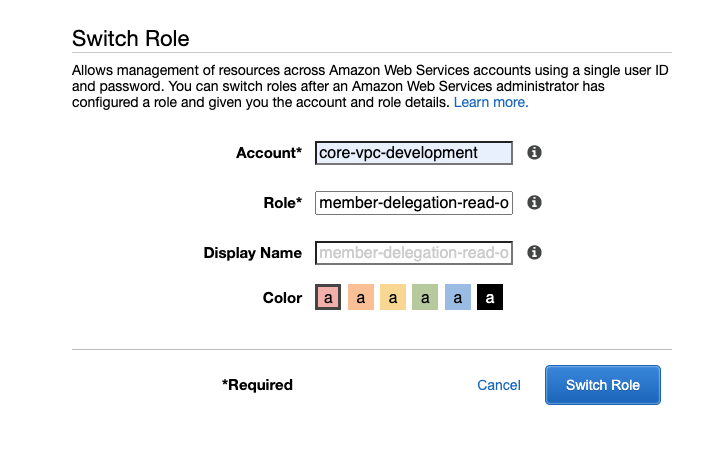
hmpps-development.modernisation-platform.service.justice.gov.uk) use themember-delegation-read-onlyrole and use the account aliases for each Core VPC account:
core-vpc-development
core-vpc-test
core-vpc-preproduction
core-vpc-production
- To view higher level DNS resources (eg.
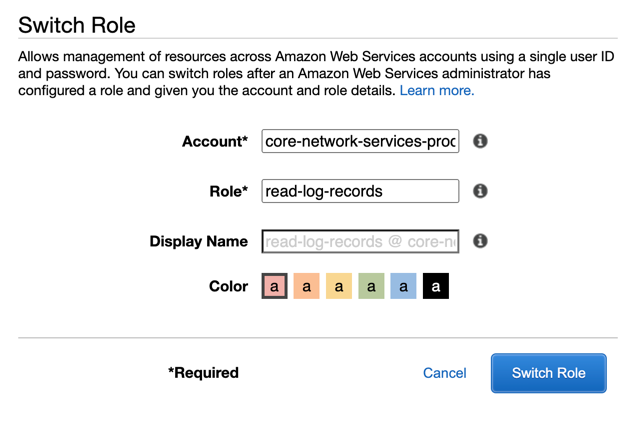
modernisation-platform.service.justice.gov.uk), or to view Network Firewall resources (eg. CloudWatch logs or Network Firewall policies) use theread-log-recordsrole and use the account alias for the Core Network account:
core-network-services-production
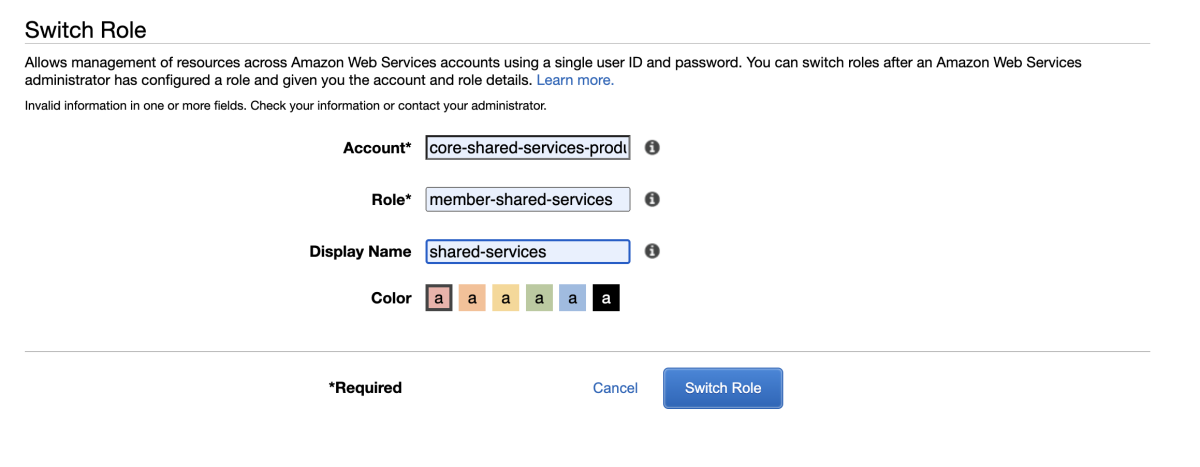
- To view Shared Services resources i.e AMIs created and shared, use the
member-shared-servicesrole and use the account alias for the Shared Services account:
core-shared-services-production
Was this page useful?